
Wazuh
Wazuh
Description
The Open Source EDR Wazuh can be deployed within the simulation. Currently, the agent can communicate with the Wazuh's Dashboard embedded in the simulation.
Configuration
The configuration of Wazuh in M&NTIS contains the default alert rules.
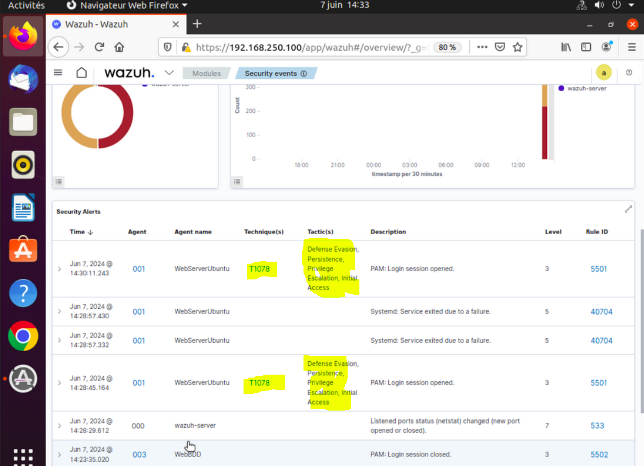
On top of them, the detection signatures associated with the lab's attacks are deployed automatically, before the attacks run, as the manager's local rules. They are grouped under the name mantis, so the alerts they raise can be told apart from the ones the default ruleset produces. These alerts are also collected back into M&NTIS and correlated with the attack steps.
How to enable
To enable Wazuh, you only need to activate both:
- Wazuh agent
- Wazuh manager
Usage
Once the simulation is running, the Wazuh dashboard is reachable through the public link created for the lab.
The dashboard can also be reached from inside the lab. Click on the Topology tab, then copy the IP address of the node wazuhmanager. This IP can differ from a run to another.
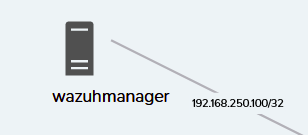
Once the IP is copied, navigate to the Interactive view tab. You have to connect and log in a client machine as a regular user.
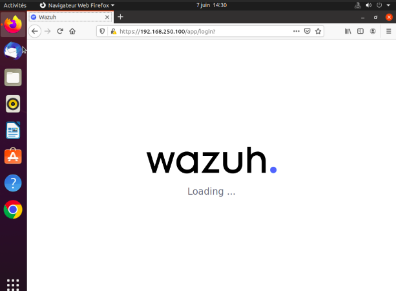
Then, you can open a web browser, and connect to the remote wazuh manager over HTTPS, at the same path as the public link of the lab (e.g. https://<wazuhmanager IP>/proxy/<lab id>/http/wazuh_manager/). You have to accept the security alert about the certificate. Wazuh should now be loading:
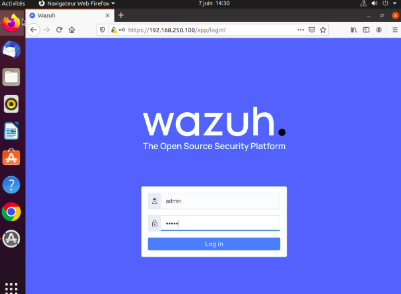
You can log in the Wazuh manager using the credentials admin:admin.
On the landing page, you can check which Wazuh EDR agents are registered against the manager. In order to view the security events, click on the home tab:
and click on Security events on the left block in the page:
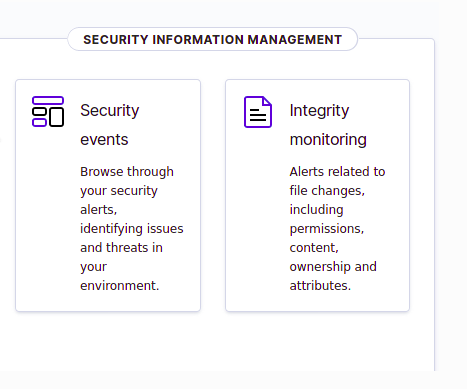
The Security events are then listed: